Manage & curate
By default indice serve is read-only — it never writes, so you curate from the command line (index, collection set, import browsertrix). Passing --manage turns the ordinary site into an editable workroom: the same pages gain curation controls (a warm clay “red-tape” accent marks write mode), so you can add archives and curate collections in place, no command line needed:
indice serve --manage # http://127.0.0.1:8080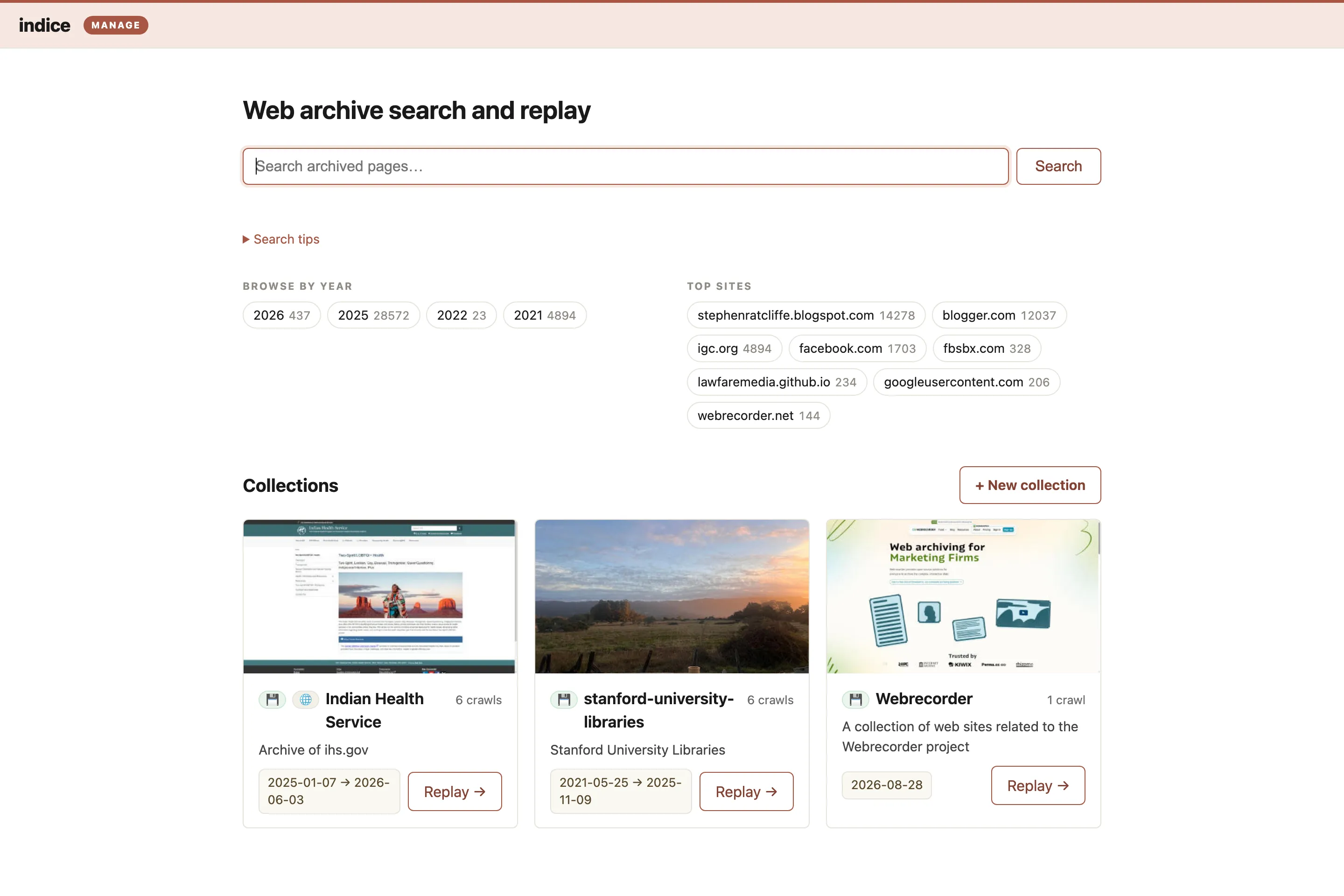
With --manage on:
- The homepage — its collection list gains a + New collection button, and each card an Edit affordance. An empty instance greets you with “add your first archive.”
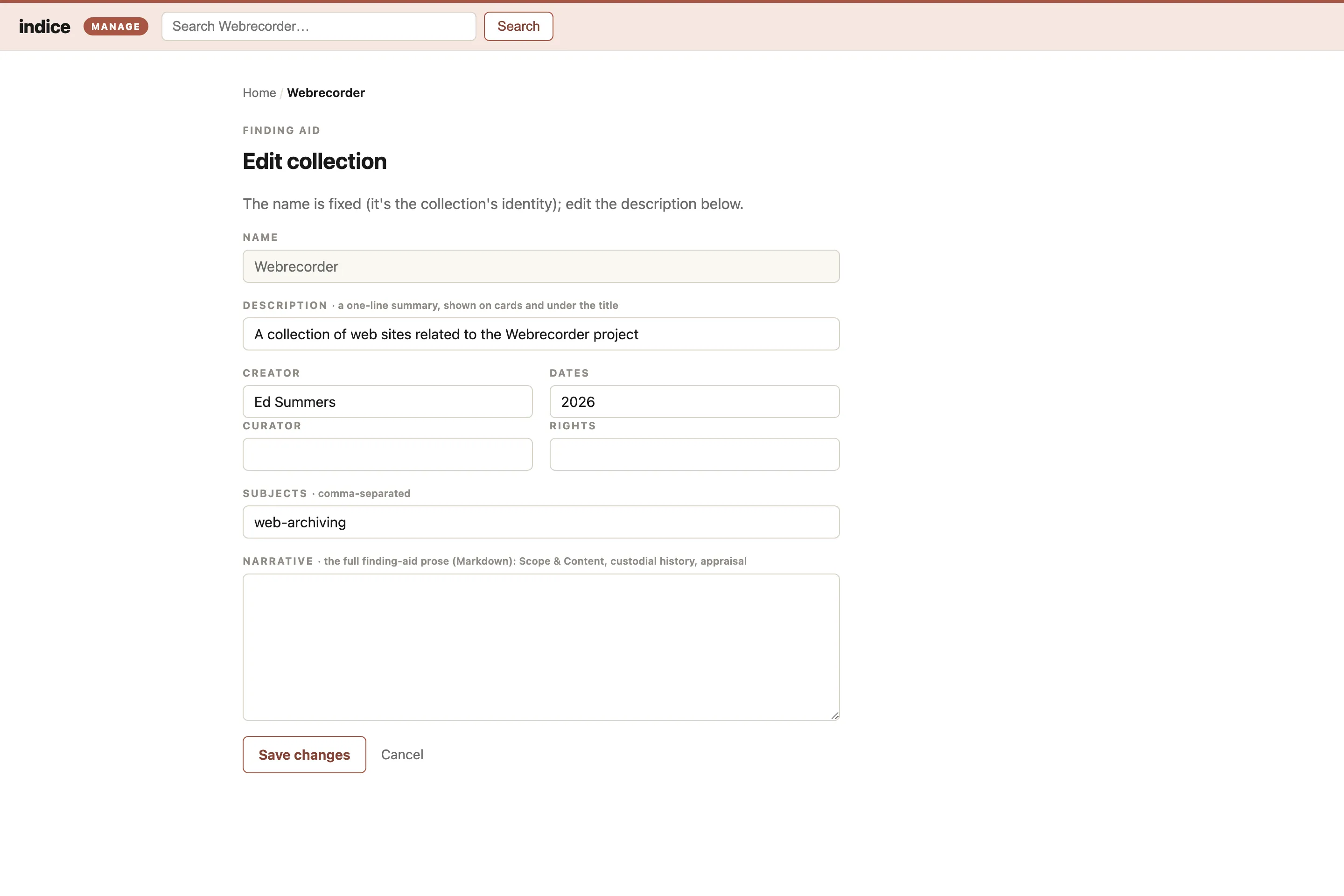
- Each collection page — gains Edit collection (the finding-aid form: description, creator, dates, rights, subjects, narrative) and + Add crawls.
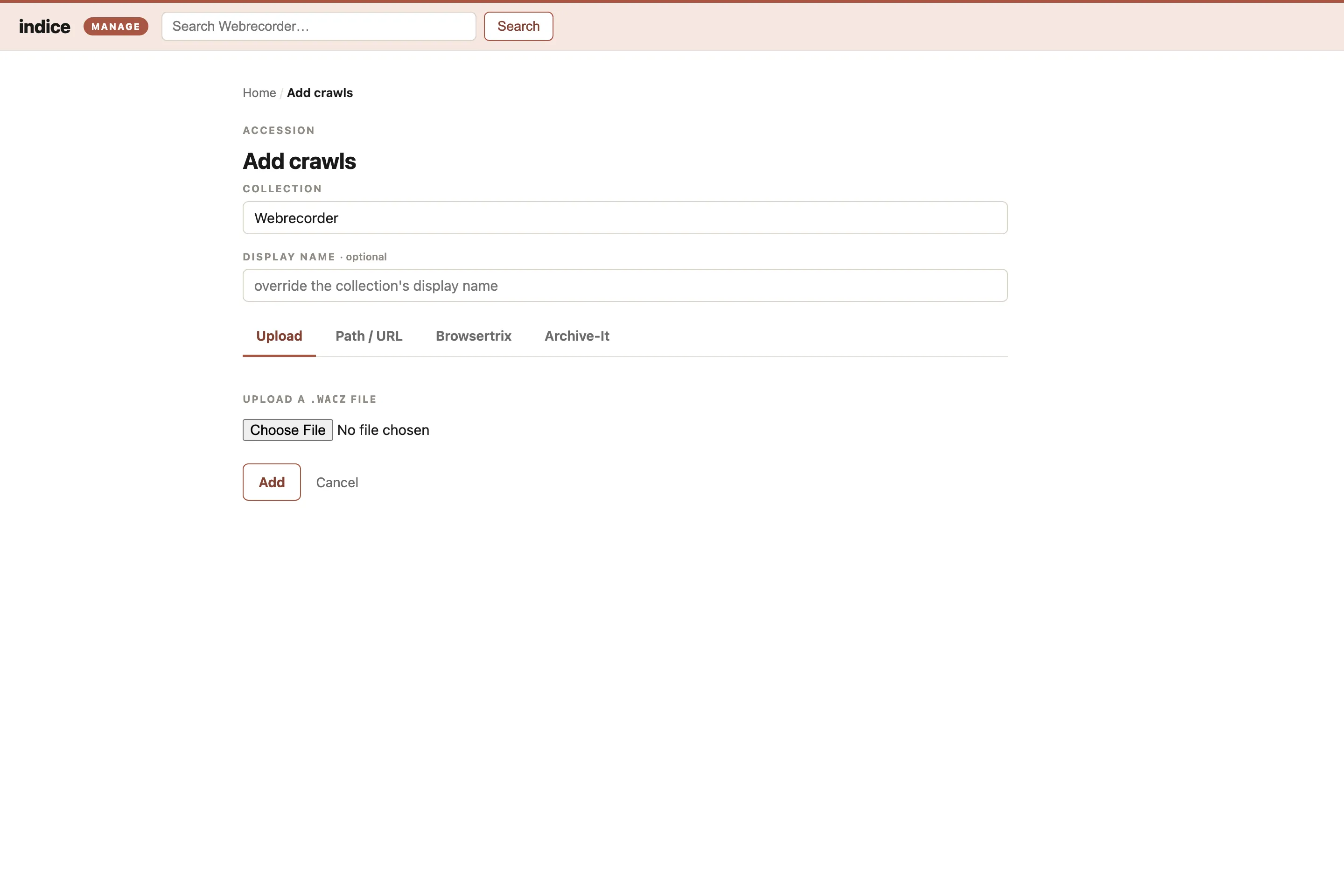
- Add crawls (the accession desk) — upload a
.waczfrom your computer, or point indice at a local path or anhttp(s)://URL. Indexing runs in the background with live progress; when it finishes the crawl is searchable immediately (the server hot-reloads its reader — no restart). Uploaded/local files are copied into<home>/archive/; a URL is streamed in place. Browsertrix and Archive-It are additional source tabs: browse the configured account and pick crawls to import, with the same live progress.
The default serve (without --manage) mounts none of this, so a public, read-only deployment can never mutate the archive.
Local use
Section titled “Local use”indice serve --manage bound to 127.0.0.1 (the default) trusts every request: you’re the only one who can reach it, so you’re the admin and there’s no login. Because it trusts everything, indice refuses to start if --manage is bound to a non-loopback address without an auth proxy configured (below) — otherwise you’d expose an unauthenticated write surface to the network.
Running as a service (forward-auth)
Section titled “Running as a service (forward-auth)”To offer management to real users over the network, run indice behind an authenticating reverse proxy — nginx, Caddy, oauth2-proxy, Authelia, Cloudflare Access, Tailscale, an institutional SSO gateway, and so on. The proxy performs the login and forwards the authenticated user to indice in a header; indice trusts that header only when the request also carries a shared secret:
indice serve --manage \ --bind 127.0.0.1:8080 \ --auth-proxy-header X-Forwarded-Email \ --auth-proxy-secret "$INDICE_AUTH_PROXY_SECRET" # or set that env var--auth-proxy-headeris the header your proxy injects with the authenticated identity (e.g.X-Forwarded-Emailfor oauth2-proxy,Remote-Emailfor Authelia).--auth-proxy-secret(or theINDICE_AUTH_PROXY_SECRETenv var) is a random secret your proxy must send in theX-Indice-Auth-Secretheader. It is a static header you set in the proxy config — not something your identity provider sends. Requiring it is what makes trusting the identity header safe: a client that forgesX-Forwarded-Email, or any request that didn’t come through the proxy, lacks the secret and gets a403.
Every management request must carry both the identity header and the secret; anything else is rejected. The public read-only site (search, browse, replay) is not gated — only the management routes are. “Who is an admin” is delegated entirely to your proxy/SSO: anyone it logs in can administer.
The management routes show the workroom chrome + signed-in identity from the proxy’s identity header. The public pages (home, collection, crawl) are ungated, and browsers won’t send the proxy’s credentials there — so at login indice sets a small signed, display-only session cookie (HMAC’d with the shared secret) and reads it on those pages, so a signed-in admin gets the edit-in-place controls everywhere. The cookie only drives rendering — every write is still re-checked against the proxy’s identity header + secret, so a stolen or forged cookie grants no access. Pages served without an identity show a Log in link (it points at the gated /manage/login, so following it trips the proxy’s login and returns you to where you were). A Log out link clears the display cookie — but note that with the Basic-auth stopgap the browser keeps its cached credentials until it’s closed, so logout only hides the chrome; a full sign-out (and single sign-on) comes with the SSO path.
Deploy checklist
Section titled “Deploy checklist”- Bind indice to loopback and have the proxy connect to it there, so nothing but the proxy can reach the port.
- Configure the proxy to strip any client-supplied identity header on inbound requests before setting its own, so a client can’t smuggle one in. (The shared secret is your backstop if this is ever missed.)
- Set the static
X-Indice-Auth-Secretheader in the proxy, and terminate TLS there.
Illustrative Caddy config (adapt directives to your proxy/version):
example.org { # 1. require an SSO login (oauth2-proxy talks to your IdP) forward_auth 127.0.0.1:4180 { uri /oauth2/auth copy_headers X-Forwarded-Email # the authenticated identity } # 2. proxy to indice, adding the shared secret reverse_proxy 127.0.0.1:8080 { header_up X-Indice-Auth-Secret {env.INDICE_AUTH_PROXY_SECRET} }}For turnkey Docker Compose overlays that wire this up (Basic auth or GitHub SSO), see Deploy indice.