Searching
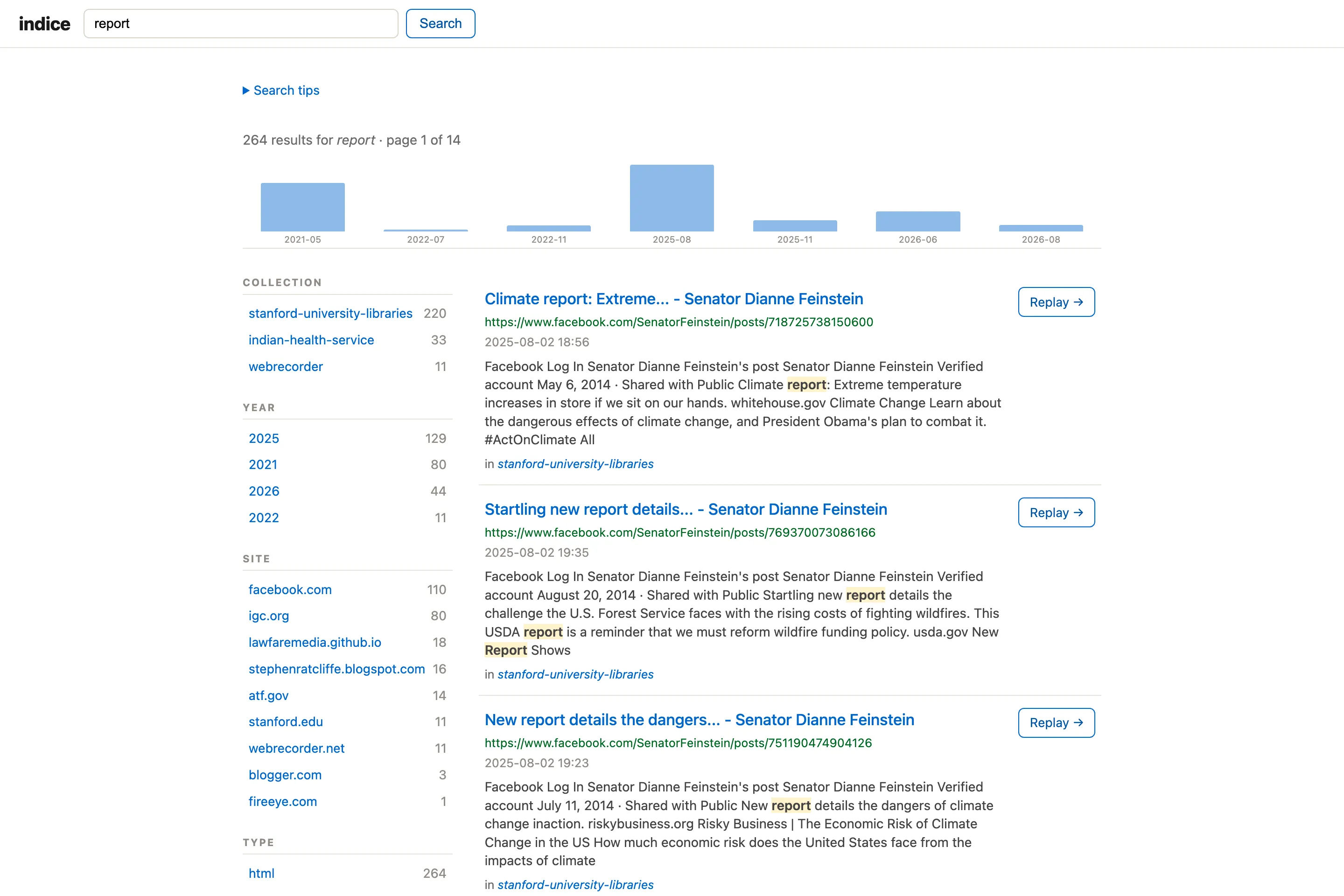
The search box matches page titles, headings, body text, descriptions, keywords, author, and words from the page URL. A few things worth knowing (there’s also a “Search tips” panel in the app itself):
- All words must match.
climate policyfinds pages containing both words. UseORfor either (climate OR weather) and-to exclude (climate -policy). - Quotes search an exact phrase:
"climate policy". - Field search:
title:climateandauthor:hoppermatch those fields;site:example.commatches a whole site across subdomains whiledomain:www.example.comis an exact host;year:2021(oryear:[2020 TO 2023]),month:202103, andmodified:2015(Last-Modified year) filter by date;type:pdf,lang:en,status:200, andcollection:demofilter by media type, language, HTTP status, and collection. - Grouping and boosting:
(climate OR weather) risk, andclimate^2 changeranks “climate” matches higher.
Title matches rank above body matches, and searches are case-insensitive.
The results page is faceted: a sidebar shows counts by collection, year, site, type, and language, and clicking one refines the search (applied filters appear as removable chips). A month timeline sits above the results — click a bar to filter to that month. Repeat captures of the same URL collapse into a single result marked “captured N times”, and results are paginated. The homepage also offers “browse by year” and “top sites” entry points into search.
Crawl thumbnails
Section titled “Crawl thumbnails”Crawls carry a representative image, cached as a small thumbnail at index time. It’s taken from the crawl’s home-page og:image; failing that, the largest content image the page embeds; and failing that — for JS-rendered sites whose saved HTML lists no images — the largest captured image on the crawl’s own domain (skipping icons/sprites and full-res originals). Homepage collection cards and the crawl detail page show one; the collection detail page shows a grid of its member crawls, each with its own image — conveying that a collection spans multiple crawls of multiple sites. Crawls without an image fall back to a CSS placeholder. A curator can pin a specific image with indice crawl set <crawl-id> --image <file> (kept across reindexing).